Installation Guide
- Download the file below, upload it to your VPS or hosting account, and extract it.
- Create a database before you start the installation.
- Open your website using its domain name.
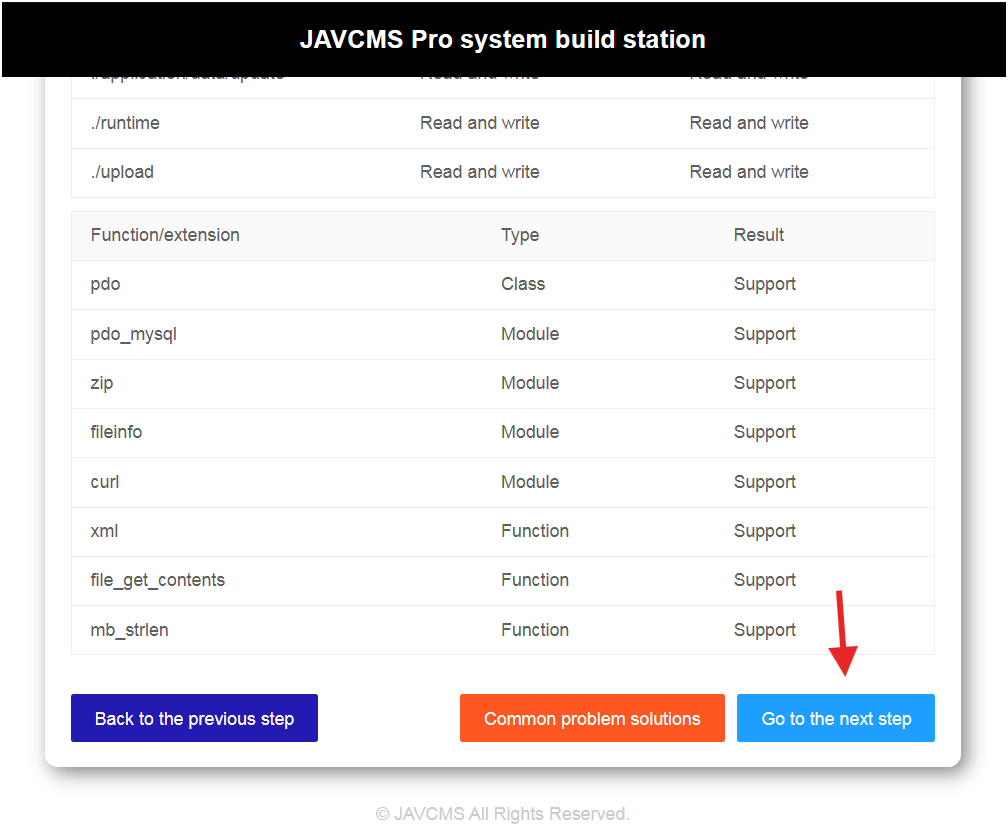
- Check the requirements below (red indicates missing extensions). If all conditions are met, click "Continue" at the bottom.
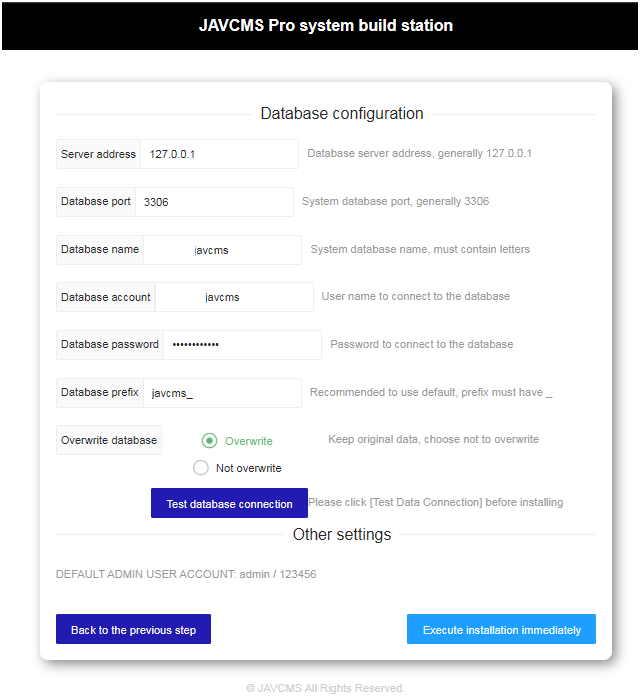
- Enter the connection details for the database you created, choose whether to overwrite existing data, then test the database connection.
- Click "Execute Installation Immediately" to continue.
Additional Instructions
1. Edit the Administrator Account
- Go to Users > Administrator > Edit > Set the desired password.
2. Configure Category SEO
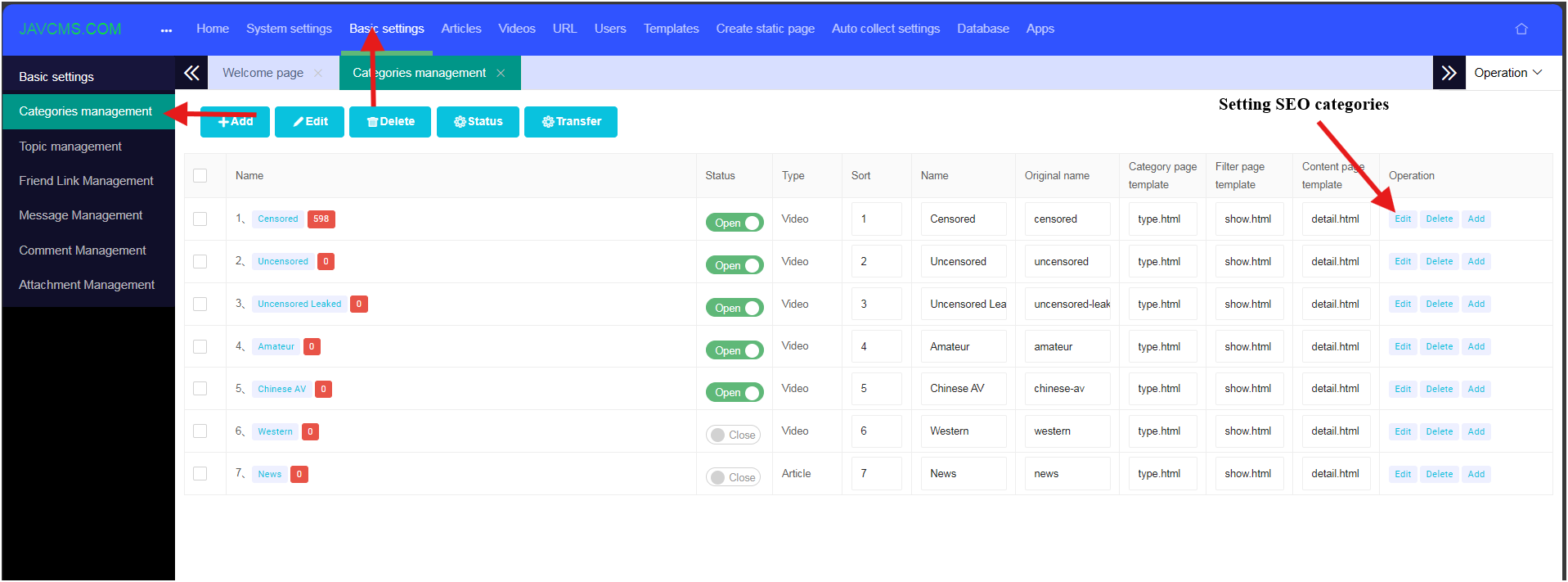
- Go to Basic Settings > Categories Management > Select Edit for the category you want to modify.
3. Crawl Movies
- To crawl all movies:
- Select the API link as shown below.
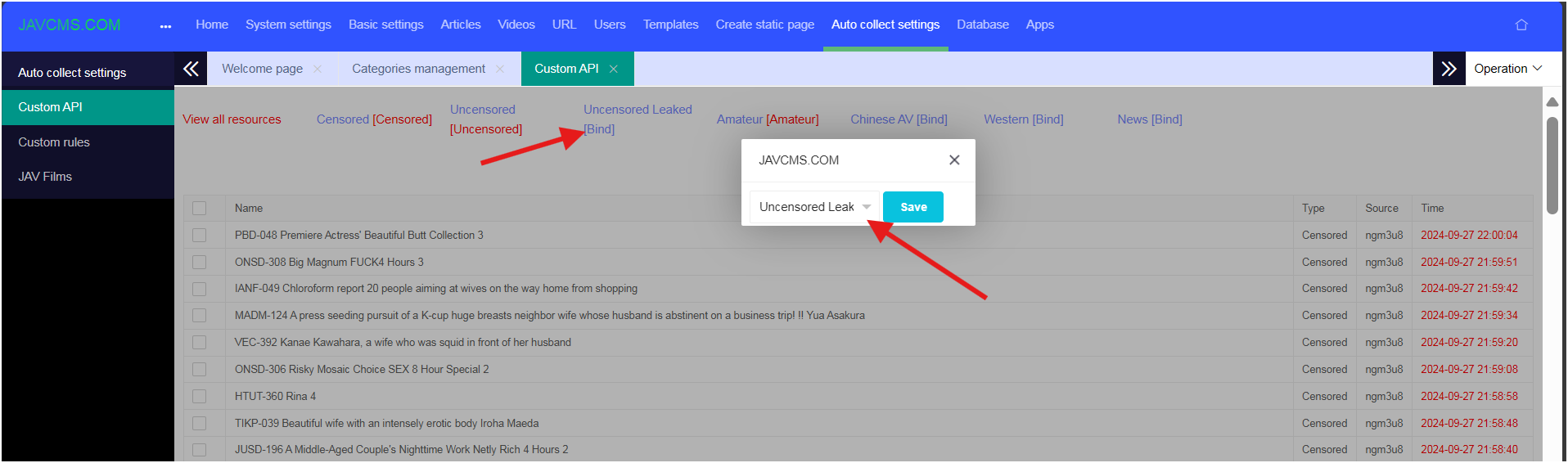
- Select Bind, then match the source categories to the appropriate local categories. Important: bind every category so that no movies are omitted.
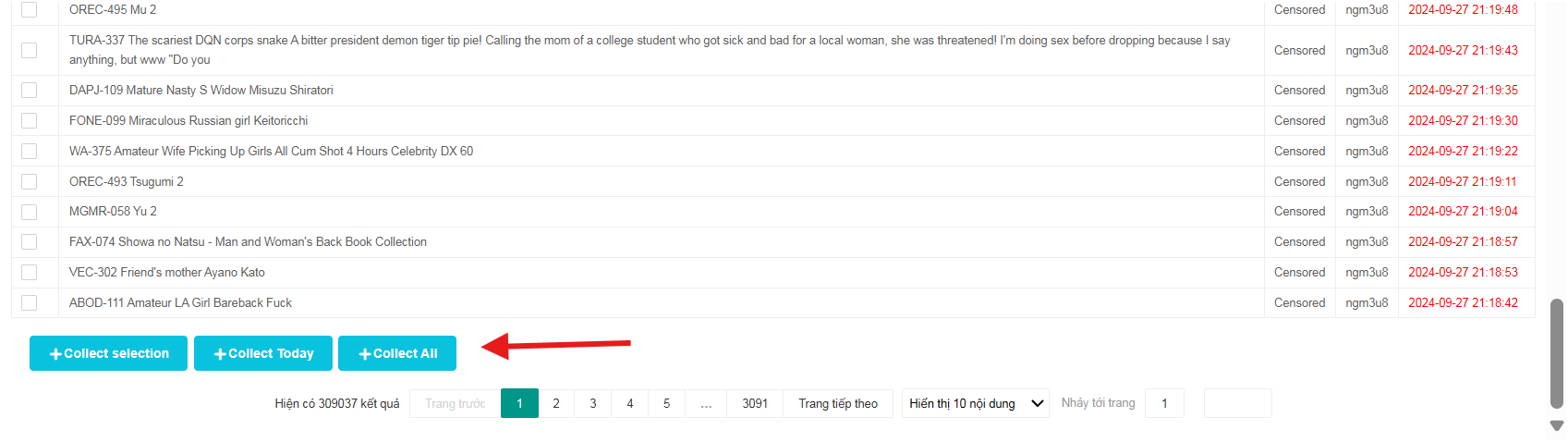
- Scroll to the bottom and choose Crawl All or Crawl Day as you prefer.
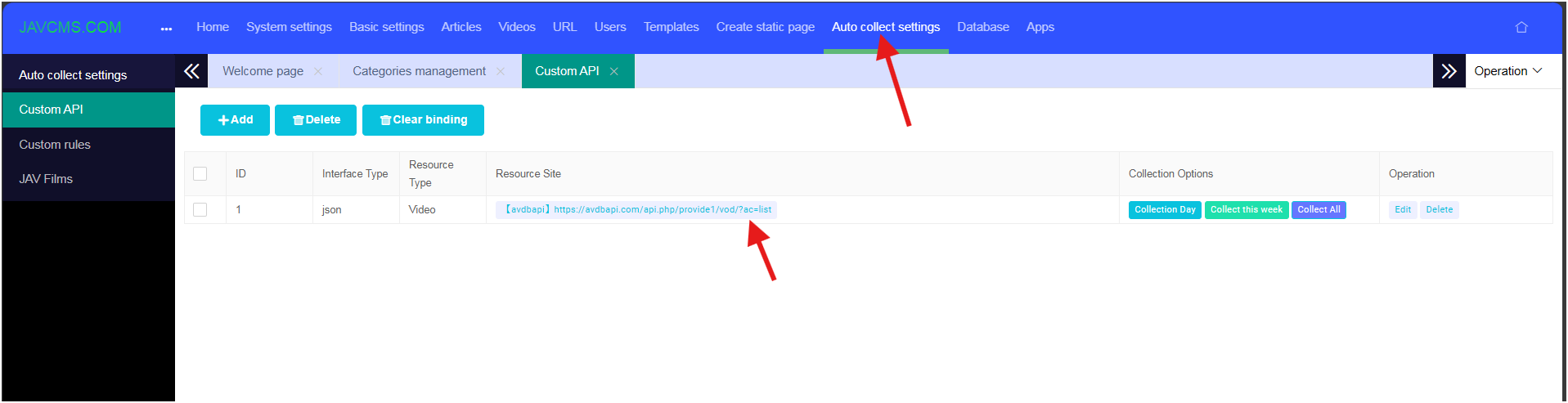
- To crawl specific categories:
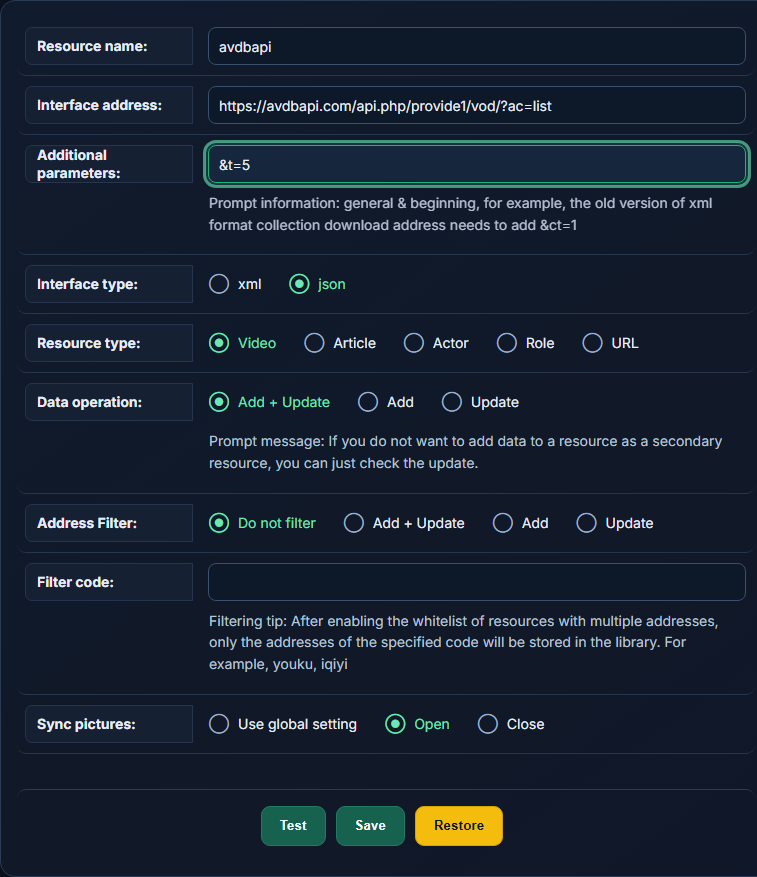
- Select Edit on the API row.
- Add the suffix &t=5 to the Additional parameters field. The category number can be found on the help page.
- Note: For MacCMS, use the provide1 endpoint. Do not use provide.
- Correct URL: https://avdbapi.com/api.php/provide1